Maytag Washing Machine Error Code F9E1
Drain failure — water not draining
The most common cause of the F9E1 error on a Maytag washing machine is clogged drain pump filter (~50% of cases); start with: clean the drain pump filter.
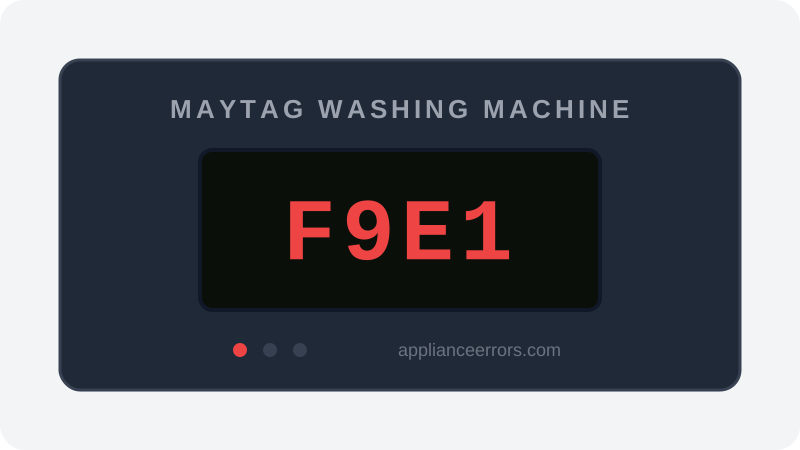
What Does Error Code F9E1 Mean on a Maytag Washing Machine?
Drain failure — water not draining.
F9E1 fires when the control board commands the drain step but the pressure sensor still detects water in the tub after the pump has run for the maximum allowed time. The board interprets this as a failed pump-out and halts the cycle. Unlike F8E1, which points to water-fill or flow-sensor problems, F9E1 is strictly about water not leaving the tub — most often a restricted pump filter, kinked hose, or clogged standpipe rather than a fill fault.
What Causes Error Code F9E1?
Here are the most common causes in order of frequency. Start with the most likely cause before moving to the next:
- 1 Clogged drain pump filter 50% of cases
- 2 Kinked drain hose 25% of cases
- 3 Clogged standpipe 15% of cases
- 4 Failed drain pump 10% of cases
How to Fix Maytag Washing Machine Error Code F9E1
- 1
Clean the drain pump filter
Open the lower-front access panel, place towels and a pan, then slowly unscrew the filter cap to drain water and clear lint and debris.
⚠️ Have several towels ready — water will spill out. - 2
Check the drain hose
Confirm the drain hose isn't kinked, has a proper high loop, and sits no more than a few inches into the standpipe.
- 3
Check the household drain
Verify the standpipe or sink drain the hose empties into isn't itself clogged or backing up.
- 4
Test the drain pump
If the filter and hoses are clear, test the pump motor for continuity and listen for it running during drain.
🔩 Maytag drain pump ($45–$90)
How to Reset Error Code F9E1
Clear the blockage and reassemble the filter cap fully, then select a Drain & Spin cycle and press Start — F9E1 clears once the washer empties the tub within the expected time.
Note: If the error returns after resetting, the underlying issue has not been resolved. Work through the fix steps above.
Did this guide fix your appliance?
✓ Thanks — your feedback helps us improve this guide for the next person.
Thanks for letting us know. If the steps above didn't work, see when to call a professional.
What went wrong? (one tap helps us fix this guide)
✓ Noted — we'll use this to improve the guide.
When to Call a Professional
If the filter, hoses, and household drain are all clear but F9E1 returns, the drain pump or the control board's pump relay has likely failed and a technician should test both.
Related Error Codes
Same Code on Other Brands
Error code F9E1 appears on these other brands too. See every brand that shows F9E1 →



Find Replacement Parts
Use these links to find the exact replacement parts for your Maytag Washing Machine:
External links — ApplianceErrors.com is not affiliated with these retailers.
More Maytag Washing Machine Error Codes
Frequently Asked Questions
Can I keep using my Maytag Washing Machine when error F9E1 appears? +
What most commonly causes F9E1 on a Maytag Washing Machine? +
F9E1 keeps coming back after a reset — what should I check next? +
How much does it cost to fix Maytag Washing Machine error F9E1? +
Which Maytag Washing Machine models show error F9E1? +
Sources & References
- • Maytag Product Help — official manufacturer documentation
- • Our editorial & verification policy
Content verified against manufacturer service documentation. Last verified: July 19, 2026.