LG Dryer Error Code D80
Duct blockage detected — exhaust duct 80% blocked
The most common cause of the D80 error on a LG dryer is lint buildup in exhaust duct over time (~55% of cases); start with: clean the lint filter.
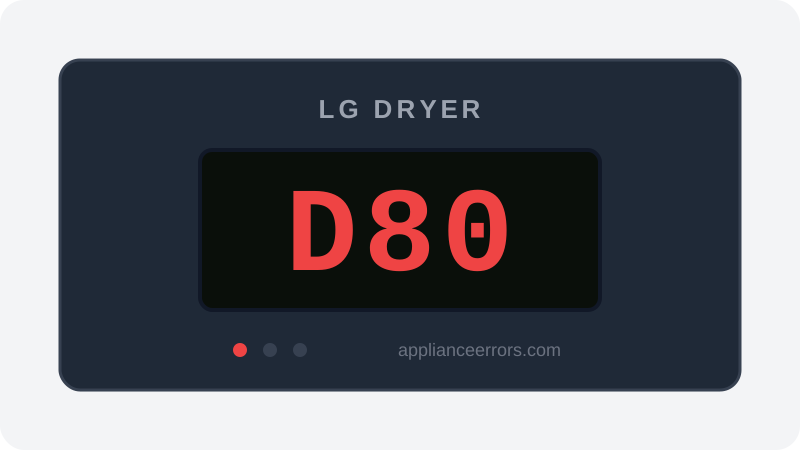
What Does Error Code D80 Mean on a LG Dryer?
Duct blockage detected — exhaust duct 80% blocked.
D80 is a Flow Sense diagnostic reading, not a hard fault. LG's control board monitors airflow and back-pressure through the exhaust; when it calculates roughly 80% restriction, it displays D80 as a warning while the cycle continues. It reflects reduced airflow from accumulated lint or duct issues rather than a component failure. It differs from D90 and D95, which indicate progressively worse blockage (about 90% and 95%) and greater overheating risk.
What Causes Error Code D80?
Here are the most common causes in order of frequency. Start with the most likely cause before moving to the next:
- 1 Lint buildup in exhaust duct over time 55% of cases
- 2 Kinked or crushed flexible duct behind dryer 25% of cases
- 3 Exterior vent cap clogged or flap stuck closed 10% of cases
- 4 Duct run too long or too many 90° bends 10% of cases
How to Fix LG Dryer Error Code D80
- 1
Clean the lint filter
Remove the lint filter (inside the door) and clean thoroughly. This should be done after every cycle.
- 2
Disconnect and clean the exhaust duct
Pull the dryer from the wall and disconnect the duct from the back. Use a dryer vent brush kit to clean the full length of the duct from both ends.
🔩 Dryer vent brush kit ($15–$35) - 3
Check the exterior vent
Go outside and locate the exhaust vent. Remove any lint buildup, bird nests, or debris. Ensure the flap opens freely.
- 4
Replace flexible duct with rigid metal
Flexible foil or plastic ducts crush easily and trap lint in their ridges. Replace with smooth rigid metal duct for runs over 3 feet.
🔩 4-inch rigid metal duct ($15–$40 per section) - 5
Recheck duct routing
Maximum recommended duct run: 25 feet with no more than two 90° elbows. Reduce run length if possible.
How to Reset Error Code D80
After clearing the duct, run an Air Only (no heat) cycle for 20 minutes. The D80 code will clear once the Flow Sense sensor detects adequate airflow. If it doesn't clear after a full cycle, blockage remains.
Note: If the error returns after resetting, the underlying issue has not been resolved. Work through the fix steps above.
Did this guide fix your appliance?
✓ Thanks — your feedback helps us improve this guide for the next person.
Thanks for letting us know. If the steps above didn't work, see when to call a professional.
What went wrong? (one tap helps us fix this guide)
✓ Noted — we'll use this to improve the guide.
When to Call a Professional
If the duct is completely clean and the code persists, the Flow Sense sensor itself may have failed. Professional diagnosis needed.
Related Error Codes
Find Replacement Parts
Use these links to find the exact replacement parts for your LG Dryer:
External links — ApplianceErrors.com is not affiliated with these retailers.
More LG Dryer Error Codes
Frequently Asked Questions
Can I keep using my LG Dryer when error D80 appears? +
What most commonly causes D80 on a LG Dryer? +
D80 keeps coming back after a reset — what should I check next? +
How much does it cost to fix LG Dryer error D80? +
Which LG Dryer models show error D80? +
Sources & References
- • LG Support — Help Library — official manufacturer documentation
- • Our editorial & verification policy
Content verified against manufacturer service documentation. Last verified: July 19, 2026.