LG Oven Error Code F19
Temperature sensor error — sensor or wiring fault
The most common cause of the F19 error on a LG oven is temperature sensor short or open (~55% of cases); start with: power cycle.
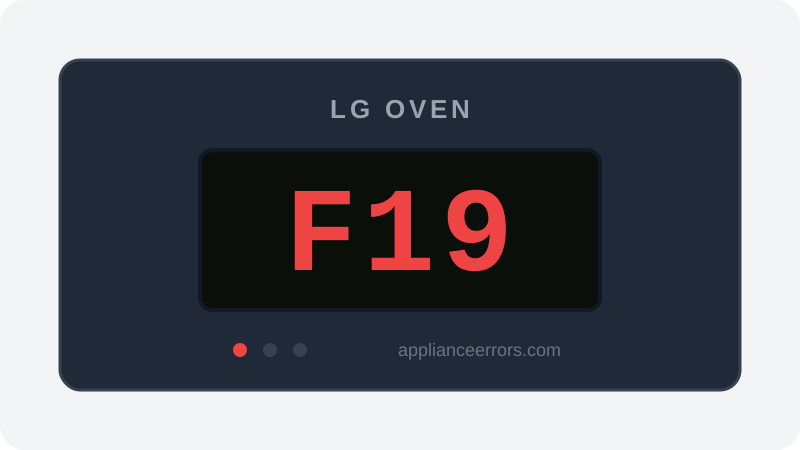
What Does Error Code F19 Mean on a LG Oven?
Temperature sensor error — sensor or wiring fault.
F19 fires when the control board reads the oven's RTD temperature sensor outside its valid resistance window — effectively shorted (near 0 ohms), open (OL), or intermittent from a damaged harness. Because a safe bake requires reliable feedback, the control locks out heating until the circuit reads correctly. On some LG models a stuck control-panel key can also trigger F19. This distinguishes it from calibration or heating-element faults; F19 points specifically at the sensor input path.
What Causes Error Code F19?
Here are the most common causes in order of frequency. Start with the most likely cause before moving to the next:
- 1 Temperature sensor short or open 55% of cases
- 2 Sensor wiring harness damaged 25% of cases
- 3 Stuck control key 10% of cases
- 4 Control board sensor input fault 10% of cases
How to Fix LG Oven Error Code F19
- 1
Power cycle
Turn off the breaker for 5 minutes, then retry.
- 2
Check for a stuck key
Press each control-panel button to confirm none is sticking.
- 3
Test the sensor
At room temperature, ~1,080 ohms. Near 0 = shorted, OL = open. Replace if out of spec.
🔩 Multimeter 🔩 LG oven temperature sensor ($25–$55)⚠️ Allow oven to cool before reaching inside. - 4
Inspect the wiring
Trace the sensor harness for pinch points or chafing against the cavity.
How to Reset Error Code F19
Power off 5 minutes, then test the sensor. After replacing it, confirm with a 350°F bake cycle.
Note: If the error returns after resetting, the underlying issue has not been resolved. Work through the fix steps above.
Did this guide fix your appliance?
✓ Thanks — your feedback helps us improve this guide for the next person.
Thanks for letting us know. If the steps above didn't work, see when to call a professional.
What went wrong? (one tap helps us fix this guide)
✓ Noted — we'll use this to improve the guide.
When to Call a Professional
If a new sensor and clean wiring don't resolve F19, the control board sensor input has failed.
Related Error Codes
Same Code on Other Brands
Error code F19 appears on these other brands too. See every brand that shows F19 →

Find Replacement Parts
Use these links to find the exact replacement parts for your LG Oven:
External links — ApplianceErrors.com is not affiliated with these retailers.
More LG Oven Error Codes
Frequently Asked Questions
Can I keep using my LG Oven when error F19 appears? +
What most commonly causes F19 on a LG Oven? +
F19 keeps coming back after a reset — what should I check next? +
How much does it cost to fix LG Oven error F19? +
Which LG Oven models show error F19? +
Sources & References
- • LG Support — Help Library — official manufacturer documentation
- • Our editorial & verification policy
Content verified against manufacturer service documentation. Last verified: July 19, 2026.